Skip to content
Mixany

Seedream 5.0 Pro

Seedream 5.0 Pro AI Image Generator

Seedream 5.0 Pro builds high-fidelity images and edits for dense infographics, technical product sheets, complex interfaces, and multilingual layouts. Use a structured brief or up to three private references in Mixany.
Use Seedream 5.0 Pro · Generate in Mixany

Create or edit high-fidelity images with strong layout, multilingual, interactive-editing, and reference-led workflows in Create.

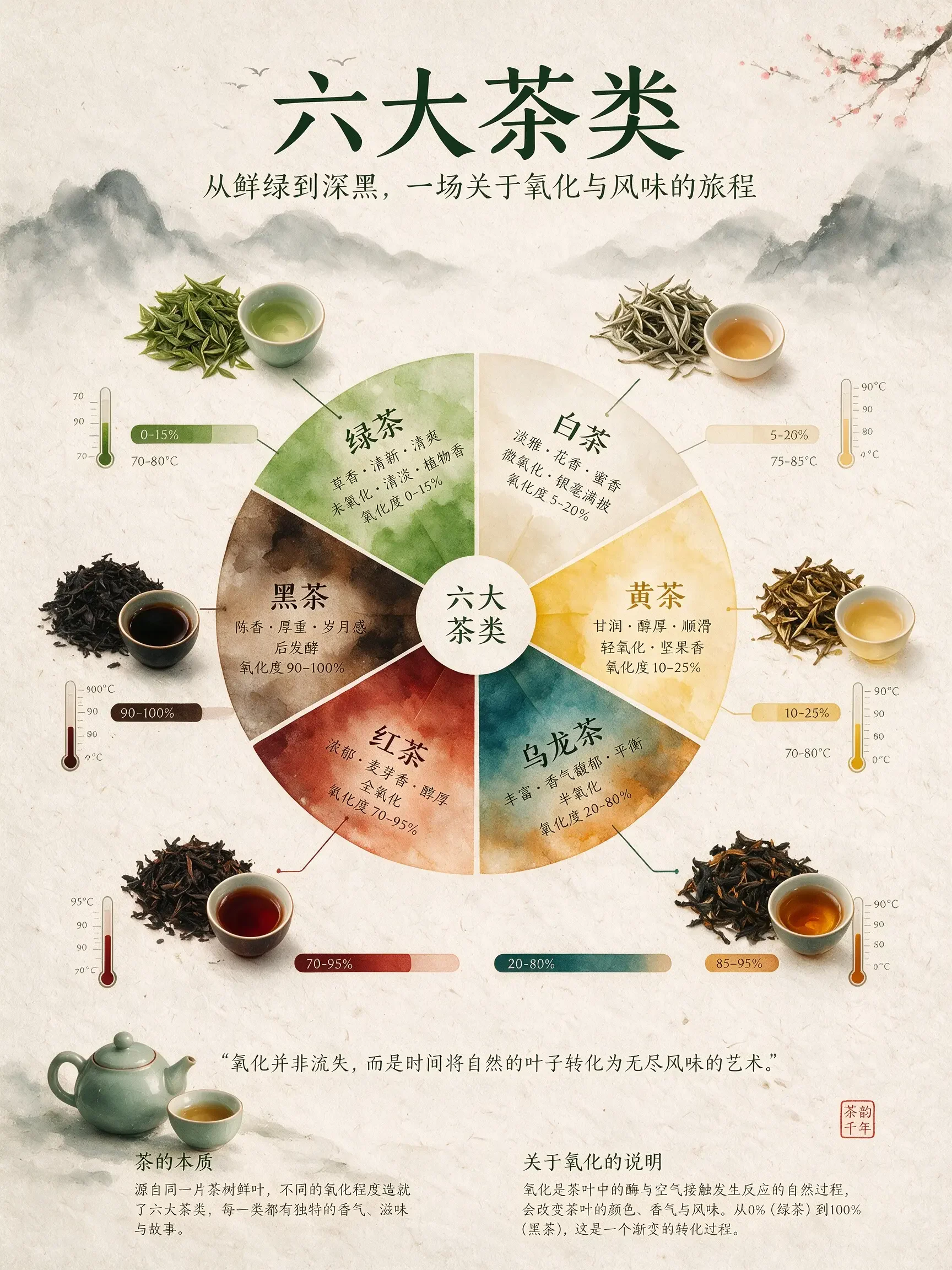
Official Seedream 5.0 Pro tea classification infographic with a central flavor wheel and labels
An official Seedream 5.0 Pro infographic coordinates categories, charts, labels, and a clear reading order in one image.

Source · Read the official Seedream 5.0 Pro release

Seedream 5.0 Pro examples for professional image work

Explore official examples for high-density infographics, technical product sheets, complex interfaces, and classroom-ready visual explanations.
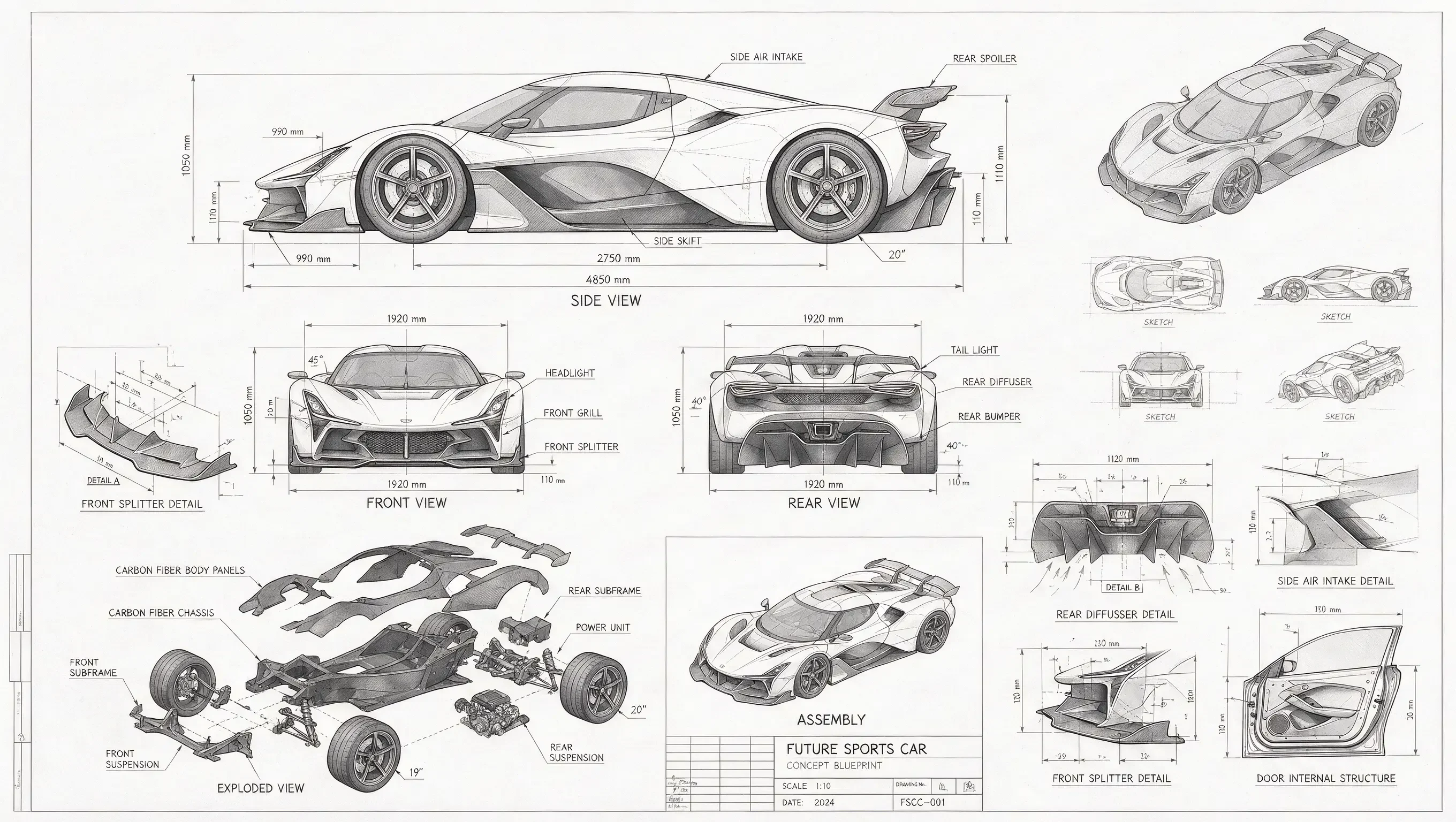
Official Seedream 5.0 Pro futuristic sports-car blueprint with exploded parts and measurements

Technical visualisation

One prompt can coordinate many views of a product

The official sports-car blueprint combines orthographic views, exploded components, detail studies, dimensions, and assembly logic in one technical sheet.

Seedream 5.0 ProMultiple viewsExploded componentsMeasured annotations

Source · ByteDance Seed Official Seedream 5.0 Pro capabilities and examples
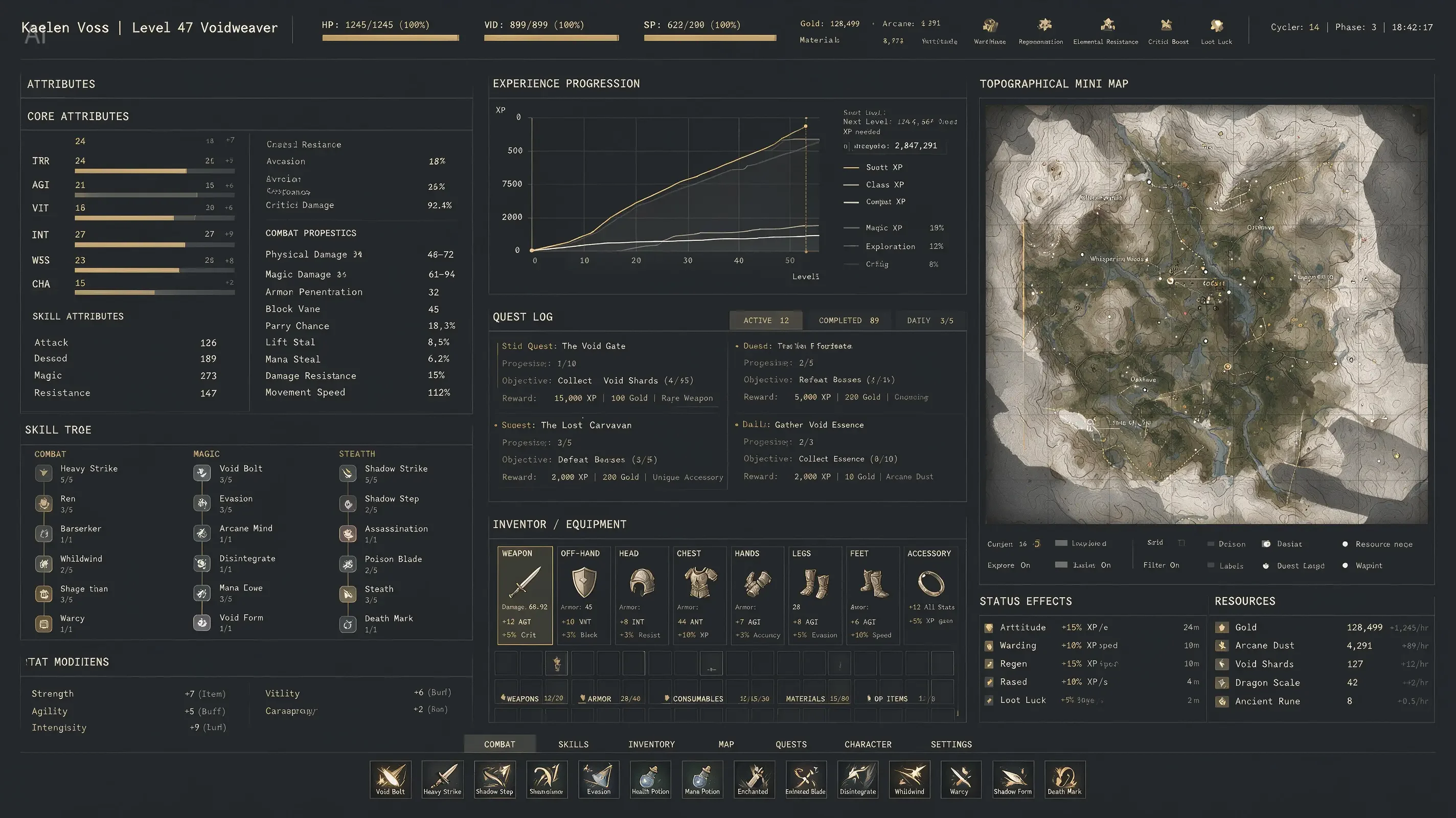
Official Seedream 5.0 Pro dense RPG interface with stats, progression graphs, and topographical map

Interface composition

A product-like interface can remain coherent at high density

The official RPG screen coordinates stats, graphs, a topographical map, quests, inventory, and status panels through one industrial visual system.

Seedream 5.0 ProDense UICharts + mapSystem consistency

Source · ByteDance Seed Official Seedream 5.0 Pro capabilities and examples
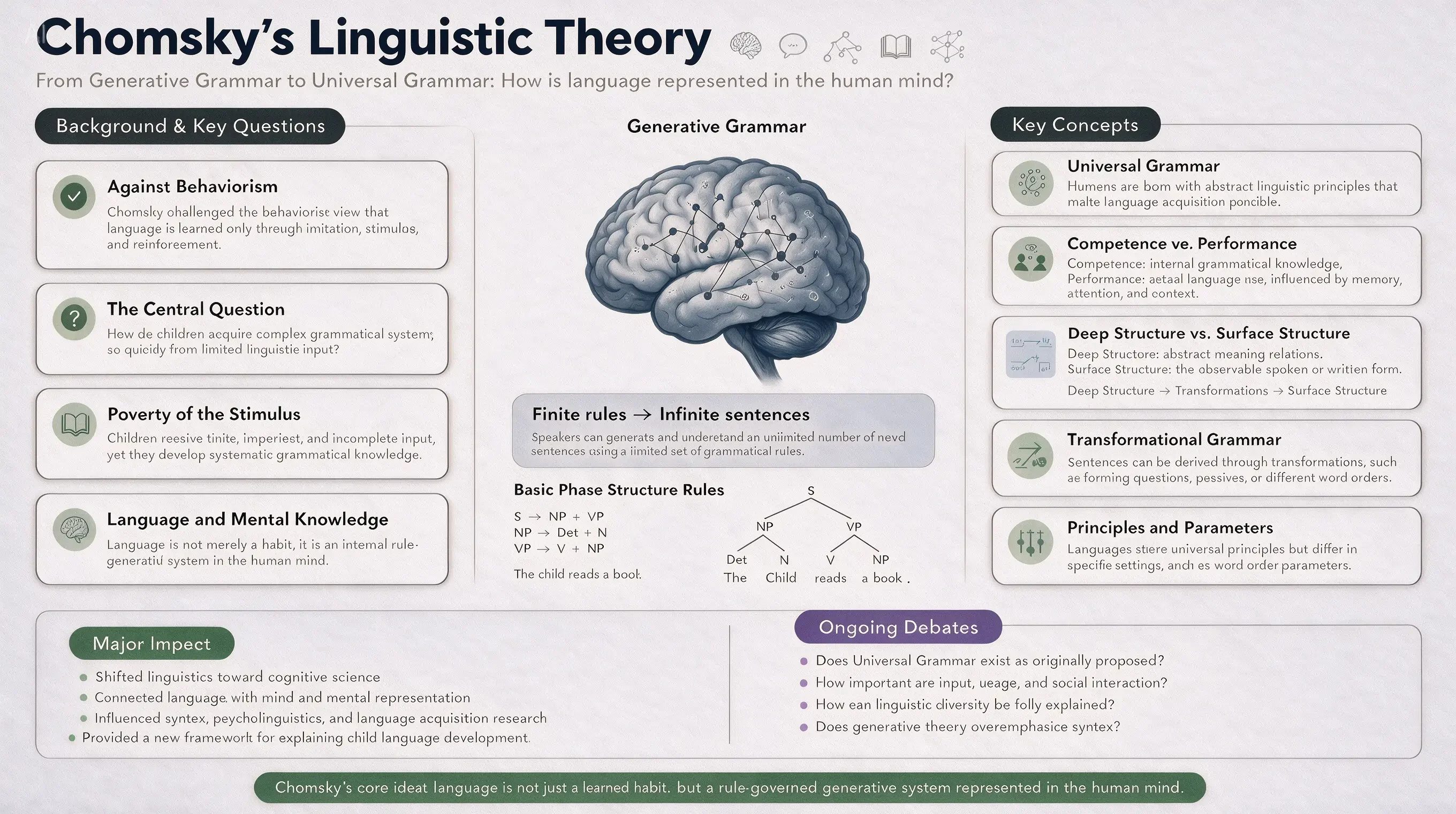
Official Seedream 5.0 Pro academic infographic about Chomsky linguistic theory

Educational layout

Long-form explanation can keep its reading order

The official academic poster gives a central concept, supporting questions, key terms, examples, and impact a clear hierarchy for classroom use.

Seedream 5.0 ProAcademic posterLong-form explanationReadable hierarchy

Source · ByteDance Seed Official Seedream 5.0 Pro capabilities and examples

Is Seedream 5.0 Pro right for your creative job?

Scan the current Mixany facts, best-fit tasks, and limits before you choose a model in Create.

Mixany input

Structured brief or up to 3 references

Mixany tasks

Generate or edit

Mixany resolutions

1K or 2K

Official focus

High-fidelity multimodal image work

Starting credits

60 credits / 1K

Best for

Dense infographics

Use one structured brief for charts, labels, callouts, and visual relationships that need a readable hierarchy rather than a loose illustration.

Technical product sheets

Describe multiple views, measurements, exploded parts, materials, and assembly logic when the image is part of a design or engineering workflow.

Multilingual and interface layouts

Specify each language, script, panel, and reading order explicitly, then inspect every character and line break in the delivered image.

Limits to plan around

  • Mixany accepts up to three reference images for Seedream 5.0 Pro generate and edit modes.
  • The current Create controls offer 1K and 2K resolutions; source images can change the credit cost shown before submission.
  • Dense layouts still require a final review of text, numbers, measurements, translations, and alignment before publishing.
  • For edits, describe the annotation or local change and list the geometry, copy, and surrounding regions that must remain stable.

Seedream 5.0 Pro prompt examples

Treat the prompt as a production specification: define the artifact, relationships, exact copy, languages, references, and protected areas.

Multilingual wayfinding poster

Create a vertical 4:5 public-transit safety poster with the exact title “KEEP THE PLATFORM CLEAR”. Show one clean train-platform illustration and four parallel text blocks in English, Simplified Chinese, Japanese, and Korean. Use white background, yellow warning accents, black pictograms, generous spacing, and a strict left-to-right comparison. Preserve every character and add no extra slogan.

Technical product sheet

Create a landscape technical sheet for a compact electric kettle. Include front, side, and top views, one exploded body diagram, four measured callouts in millimeters, material swatches, and a small assembly sequence. Use graphite linework on warm white paper, a disciplined grid, readable labels, and consistent proportions. Do not add a brand name or unrequested specifications.

Annotated local edit

Use the supplied image and its six purple annotation boxes as the edit map. Make the living room warmer, lighter, and more realistic while preserving the room layout, furniture geometry, window position, perspective, crop, and every unmarked object. Do not alter the handwritten annotations, add text, or repaint protected regions.

Seedream 5.0 Pro FAQ and availability

Learn what Seedream 5.0 Pro is suited for, how to plan dense layouts and edits, and what Mixany currently exposes in Create.

Seedream 5.0 Pro is ByteDance Seed’s high-fidelity multimodal image model for generation and editing. Its official examples focus on dense information, technical layouts, interfaces, and multilingual visual work.

Related AI image tools

Compare Seedream 5.0 Pro with other image models or move into a focused editing workflow after generation.

01

GPT Image 2

Choose it for exact copy, controlled visual edits, and production briefs where typography is central.

02

Nano Banana Pro

Choose it for grounded visualisation, brand consistency, and complex mixed-media scenes.

03

AI Image Generator

Compare available image models and create a new image from a structured prompt.

Create a structured image with Seedream 5.0 Pro.

Write a detailed production brief or add private references, choose generate or edit, review the current settings and credit cost, then verify the result in Create.

  • Generate + edit
  • Up to 3 private references in Mixany
  • Mixany 1K–2K controls
Compare image models