Skip to content
Mixany

MiniMax H3

MiniMax H3 AI Video Generator

MiniMax H3, also called Hailuo 3, generates 5–15 second 2K videos with stereo sound. Start from a text prompt or one first-frame image in Mixany.

Use Text to video in Mixany

Create from text or one private first frame, with the exact credit cost shown before generation.

A nocturnal automotive sequence with cinematic motion, atmosphere, and synchronized sound.

Source · Explore the official H3 prompt gallery

MiniMax H3 (Hailuo 3) video examples

See MiniMax H3, also called Hailuo 3, in fashion, product, action, reference-led, and synchronized-sound video examples.

Input references

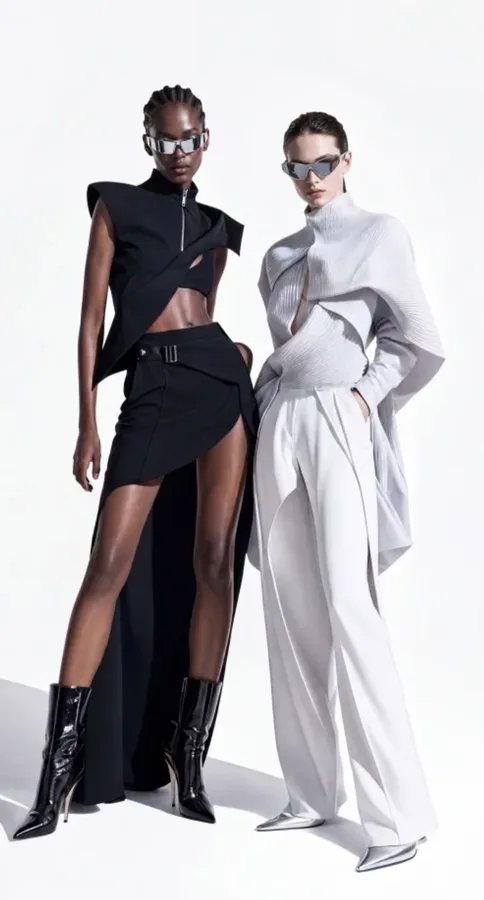
Official model and styling reference for a MiniMax H3 eyewear video

Input 1

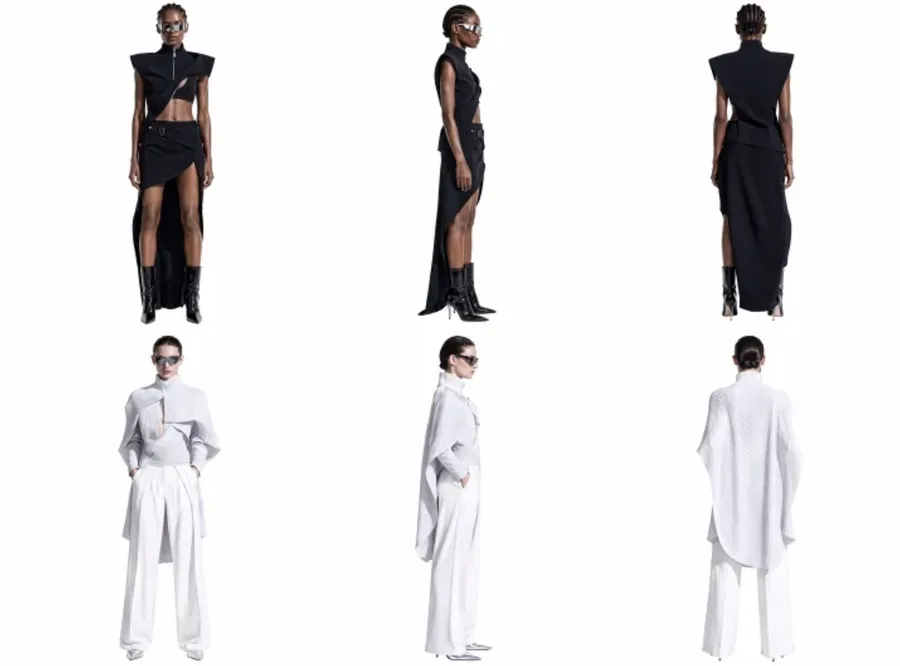
Official face reference for a MiniMax H3 eyewear video

Input 2

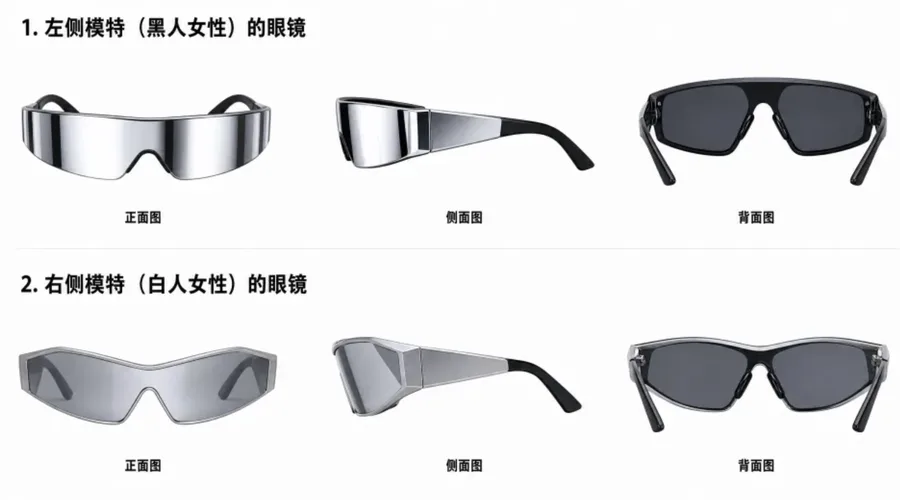
Official eyewear geometry reference for a MiniMax H3 fashion video

Input 3

Identity and product

Create an eyewear fashion video from reference images

Use separate images for the model, face, and eyewear to keep important details visible during motion and close-ups.

MiniMax H315 seconds9:163 referencesProduct detail

Source · MiniMax Official H3 video prompt gallery and examples

Input references

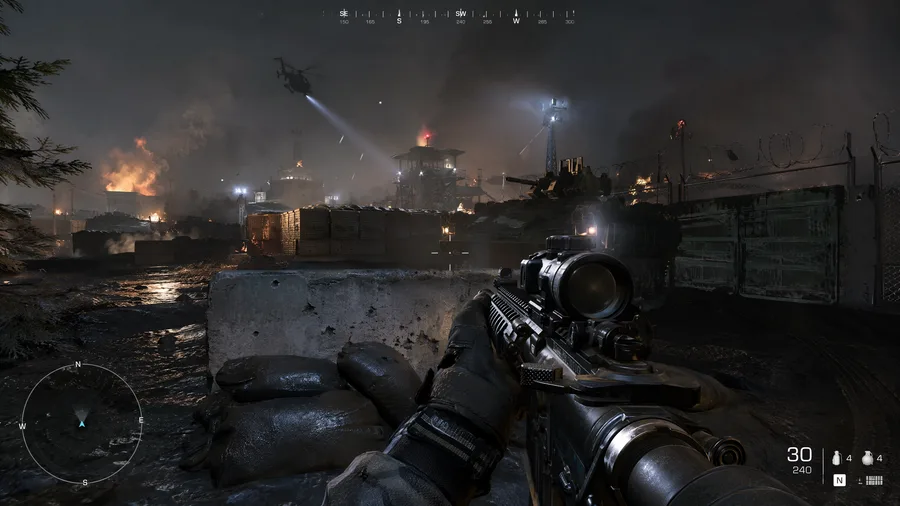
Official environment reference for a MiniMax H3 first-person action video

Input 1

Motion and sound

Create a first-person action video from a location image

Use a location image to guide the viewpoint, movement, dust, light, and sound in a first-person action video.

MiniMax H315 seconds16:91 referenceStereo audio

Source · MiniMax Official H3 video prompt gallery and examples

Is MiniMax H3 right for your creative job?

Scan the current Mixany facts, best-fit tasks, and limits before you choose a model in Create.

Mixany input

Prompt or first frame

Mixany length

5–15 seconds

Mixany output

2K video + stereo audio

Official H3 inputs

Text, image, video, and audio references

Official reference capacity

Up to 12 mixed references

Starting credits

970 credits / 5s

Best for

Cinematic brand moments

Use one short, complete shot when lighting, camera movement, ambience, and music must feel authored together.

Product reveal shots

Start from a clean product frame and describe the camera path, material response, environment, and sound cues.

Vertical story hooks

Create a 9:16 opening beat with tension, dialogue, or environmental sound already synchronized to the picture.

Limits to plan around

  • Mixany accepts either a written prompt or one private first frame for H3 creation.
  • Choose a duration from 5 to 15 seconds and review the fixed credit cost before generating.
  • Every H3 result on Mixany includes native stereo audio with the 2K video.
  • Short clips still need a focused beat. Dense scene changes, long dialogue, or many simultaneous edits increase failure risk.
  • A 5-second generation costs 970 credits, so the welcome balance does not cover a full H3 generation.

MiniMax H3 (Hailuo 3) video generation

MiniMax H3, also called Hailuo 3, suits short videos that need detailed images, controlled motion, and synchronized sound.

Input references

Official product reference for a MiniMax H3 website motion study

Input 1

Text and interface

Animate a product website reference

Use one reference image to generate a website-style video with readable text, scrolling, close product views, and transitions.

MiniMax H315 seconds16:91 referenceUI motion

Source · MiniMax Official H3 video prompt gallery and examples

Native 2K video output

MiniMax H3 generates native 2K video, so it does not need a separate upscale pass for these results. The extra detail is useful for product materials, readable text, skin texture, rain, fabric, and close views. It also gives you more room to crop the same clip for a social post, product page, or larger display.

Reference only · Multimodal references

Create a fashion video from four reference images

Use separate reference images for the setting, person, product, and final brand mark in one 15-second fashion video.

MiniMax H315 seconds16:94 referencesStereo audio

Reference source · MiniMax Official H3 video prompt gallery and examples

5–15 second AI videos

MiniMax H3 supports videos from 5 to 15 seconds long for short scenes, product reveals, character action, or social video. A useful prompt names what appears first, what moves during the clip, how the camera moves, and what remains visible in the final frame. Several unrelated actions make a short video harder to follow.

Reference only · Identity and product

Create an eyewear fashion video from reference images

Use separate images for the model, face, and eyewear to keep important details visible during motion and close-ups.

MiniMax H315 seconds9:163 referencesProduct detail

Reference source · MiniMax Official H3 video prompt gallery and examples

First-frame image input

A private first-frame image can anchor a face, hairstyle, product shape, or opening composition at the start of the video. The prompt then describes the action, camera movement, setting, lighting, sound, and final frame that follow.

Reference only · Motion and sound

Create a first-person action video from a location image

Use a location image to guide the viewpoint, movement, dust, light, and sound in a first-person action video.

MiniMax H315 seconds16:91 referenceStereo audio

Reference source · MiniMax Official H3 video prompt gallery and examples

Camera and environment control

Describe camera height, camera movement, action, dust, weather, impact, and changing light in one prompt. For example, say whether the camera should hold still, pan, track a subject, or move closer. This is useful for action scenes and environmental videos where the camera and subject need to move together.

Visual effects and sound

Generate a video with visual effects and sound

Generate hand movement, drawn effects, room sound, and small sound effects in one first-person video.

MiniMax H3First personVisual effectsSynchronized sound

Source · MiniMax Official H3 video prompt gallery and examples

Stereo audio with the video

Add ambience, dialogue, effects, and music in the same generation so sound matches the visible action. A footstep, power click, burst, breath, or music cue can happen at the right moment in the video.

MiniMax H3 FAQ and settings

Learn about MiniMax H3 inputs, video length, sound, resolution, credits, and availability.

Yes. MiniMax H3 and Hailuo 3 (also written Hailuo 3.0 or Hailuo 03) refer to the same generation; Hailuo is the name creators may see elsewhere.

Related AI video tools

Choose text to video, image to video, or another AI video model based on the video you need to make.

01

Seedance 2.0

Choose it for lower-cost iteration, multiple resolution tiers, and expressive motion with optional generated audio.

02

Kling 3.0 Turbo

Choose it when fast short-form generation and 720p or 1080p output matter more than native 2K audio.

03

AI Video Generator

Compare AI video models and generate a short video from a text prompt.

Create a MiniMax H3 video.

Describe a scene or upload one first-frame image. Choose the available settings, check the credit cost, then generate and download a MiniMax H3 video.

  • Text or first frame
  • 5–15 seconds
  • Native 2K + stereo audio
Explore image to video